


When you start using AO Scan frequency technology, AO Infinity Products, or Solex nutritional supplements, one thing becomes clear: You probably have some questions.
Not because the AO Scan technology is complex or confusing, but because it is powerful and continually being updated.. Frequencies have been around forever, yet for many people, this is their first real experience with a frequency-based system in a clinic or home.
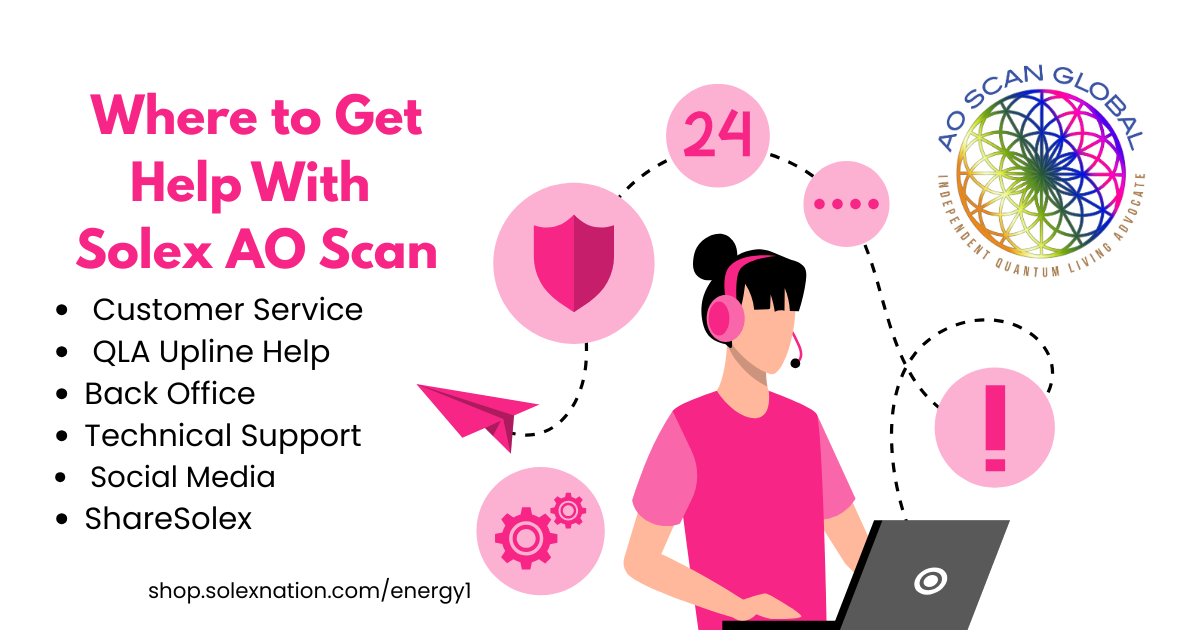
To keep things simple, think of your Solex support world as four main lanes:
-
Solex Global Customer Service
-
Solex Global Technical Support
-
Your Quantum Living Advocate (QLA) – Reseller/affiliate
-
Your Back Office
-
www.ShareSolex.com
- Solex LLC Social Media
- AO Scan Global website, blog, and social media feeds.
Once you understand what each lane does, you’ll know exactly where to go, and you’ll spend less time hunting for answers.
Lane 1: Solex Global Customer Service
Use customer service for the business and account side of Solex.
This is who you contact when you’re thinking:
-
“Where is my order?”
-
“Why did my subscription bill on this date?”
-
“What is the official policy on returns or shipping?”
- “Can you explain my monthly compensation check amount?”
- “I cannot reach my upline for the information I need. Can you assist?”
Solex Global Customer Service can help you with:
- Login issues and password resets
-
Account and membership questions
-
Subscription renewals and billing issues
-
Shipping status, missing items, or damaged products
-
General program policies and official terms, legal questions
Solex Global Contact details
-
Phone: 385-203-0033
-
Email: support@solexllc.com
-
Hours: Monday–Friday, 9 a.m.–5 p.m. MST
-
Address: 545 E University Pkwy, Suite 200, Orem, UT 84097
If money, shipping, or official policy is involved, start here instead of texting your upline and hoping they know the answer.
“Did I mention how much I appreciate our Solex Global Customer Service team? They are an integral part of my QLA Solex business. I can’t imagine my work as an affiliate reseller without them. They are always so helpful.” Paige Maurer Wheeler
Lane 2: Solex Global Technical Support
Technical support uses the same phone number and email as customer service. The difference is the type of problem.
Use technical support for things like:
- Device specifications or internet issues
-
AO Scan app will not open or keeps closing, or doesn’t stop trying to download information
-
Error messages, frozen scans, or timeouts
-
AO Hub or other hardware is not connecting
-
Login works on one device but not another
Before you reach out, do these quick checks which resolve most issues:
-
Check your internet and device
-
Confirm solid Wi-Fi or cellular signal in the room where you scan.
-
Restart your router and your phone, tablet, or computer.
-
-
Clear Chrome cache and restart AO Scan
-
Use the “Clear Cache & Restart App” menu option within the app, or clear the app/browser cache manually.
-
Close the app fully, reopen, and log in again.
-
If the issue is still there, then contact support:
-
Phone: 385-203-0033
-
Email: support@solexllc.com
Include:
-
Device type (iPhone, Android, Windows, Mac)
-
Browser (if using the web app – we prefer you use Chrome)
-
A short summary of what you already tried
This saves you time and lets the tech team help you more quickly.
Lane 3: Your Quantum Living Advocate – Reseller (this is who you purchased from)
Most Solex Customers, Preferred Customers, and QLAs have a human guide: the Quantum Living Advocate (QLA) or reseller who enrolled them, or sold a device or product to them.
This is the person who sold you:
They are not the billing department. They are not writing policies.
They are your “how do I actually use this in real life? or What has been your experience with this product?” person.
What your QLA can help with
- Directing you to relevant training resources
-
Getting started with the AO Scan app
-
Ideas for daily routines that will work with your lifestyle
-
How practitioners use scans in their office flow
-
Simple protocols and personal success stories
-
How to share Solex or build a business if you choose
-
Where to find trainings, calls, and documents
- Helping you grow your Solex AO Scan business as a Quantum Living Advocate.
QLAs should not make up legal answers or policy details. When a question involves money, compliance, or contracts, they should point you to official documents or Solex customer service.
Here’s how I see it after years of leading a global team:
“The QLAs who stay close to their customers — answering questions, sharing what works, and pointing people to official tools — are the ones whose teams grow strong and stay strong. That service mindset supports each client and also strengthens Solex as a company.”
— Paige Maurer Wheeler, AO Scan Global Team Leader
If you ever lose track of who your QLA is, open your back office and look under the Support tab. Their name and contact info are usually listed there. If not, customer service can help you reconnect. If your enroller is not responsive, contact the Solex Customer Support, and they can identify someone in your upline who may be able to assist and mentor you.
Lane 4: Your Back Office – The “Hidden Library”
If you are a QLA or you plan to become one, your back office should be your best friend.
Login: https://office2.solexnation.com
Use the same username and password you created when you enrolled.
Inside, you’ll see seven main sections:
-
Home
-
Orders
-
Business
-
Tools
-
Training
-
Settings
-
Support
Let’s walk through what each tab can do for you.
Home
The Home page gives you a fast snapshot of your business and account.
Here you can see:
-
Your current rank and business summary
-
Progress through built-in back office training
-
Company messages and community news
-
Links to official Solex social channels
Checking this page often means you hear updates from Solex directly, not from third-hand screenshots.
Orders
The Orders tab covers everything to do with what you bought:
-
Place new orders for devices and supplements.
-
Manage your AO Scan subscriptions
-
View full order history and invoices
When you wonder, “Did my order go through?” or “When did I buy that?,” check Orders before you pick up the phone.
Business
The Business section is for team builders. It lets you see what is happening in your organization without guessing.
Here you’ll find:
-
A team dashboard
-
A visual tree view
-
A report center where you can build your own reports
-
Pay history
-
Volume history
This is where you track rank progress, volume, and payouts — not in random spreadsheets and not in your text messages.
Tools
The Tools tab is where much of the magic lives.
It includes:
-
A quick link to ShareSolex.com
-
A Quick Start card for new people
-
The Documents & Media library
Documents & Media is your treasure chest. Inside you’ll see:
-
Legal and compliance PDFs
-
Product information sheets
-
AO Scan feature summaries
-
Printable forms and reference guides
Whenever you catch yourself thinking, “I wish there was a PDF on this,” go to Tools → Documents & Media first.
Training
The Training tab connects you to Solex University.
Here you have:
-
Basic AO Scan training (FREE AND RECOMMENDED THAT YOU DO IMMEDIATELY)
-
Deeper modules for different scan types and tools
-
Additional courses as they are released
If you’re new to AO Scan, this is your starting line. Do the basic training before you try to train others. You will feel more confident, and your clients will, too.
Settings
Settings is where you manage your personal details and communication preferences:
-
Update your profile and marketing site
-
Choose which emails and texts you receive
-
Keep billing information current
I always recommend staying opted in to corporate emails and texts. It’s the easiest way to stay up to date.
Support
The Support tab ties the whole system together.
Here you’ll see:
-
Contact information for the QLA who enrolled you
-
Solex customer service contact details
-
Links back to support resources
This tab quietly answers the question, “Who should I reach out to first?”
Lane 5: Digital Marketing Kit for Everyone ShareSolex.com:
Outside the back office, another primary resource is ShareSolex.com.
Think of it as your digital marketing kit and media library.
Inside you’ll find:
-
Product collections for AO Scan, AO Core, AO Infinity, oils, and supplements
-
High-quality images and graphics for social media and print
-
Business tools and compensation overviews
-
Legal and policy documents
-
Short guides arranged by topic
Before you build a flyer from scratch or screenshot a graphic from social media, check ShareSolex and the Documents & Media section. It keeps you compliant and saves you a lot of time.
Lane 6: Solex Global Social Media Links (Official Updates & Community)
When you want information directly from Solex LLC plus a feel for the global AO Scan community, this lane takes you to the official Solex social media channels. These are the three primary places to check:
These channels are where Solex regularly shares:
-
New feature announcements and software updates
-
Product education, promotions, and event details
-
Training reminders, Day of Discovery highlights, and other corporate communications
The Facebook page in particular tends to be an active conversation hub. Practitioners and home users often comment, ask questions, and share insights, which makes it a valuable place to see how others are using AO Scan and other Solex technologies in real life.
If you’re thinking, “Is anyone else experiencing this?” or “How are other practitioners integrating this feature?” the official Solex social media channels are a great lane for real-time learning, community dialogue, and staying current with everything Solex Global is rolling out.
Lane 7: AOScanGlobal.com – My QLA Personal Support for Downline & Prospects
This lane directs you to www.AOScanGlobal.com, my independent Quantum Living Advocate site, where I personally support people from all over the world who are curious about AO Scan or ready to step into the Solex ecosystem with me as their reseller.
Choose this lane if:
-
You are not already working with another Quantum Living Advocate, and
-
You want personal guidance on how AO Scan and Solex products can fit into your home, clinic, or wellness business.
- You want access to one-on-one training for qualified purchases.
- You want to be featured in the AO Scan Global blog to help boost your business
- You want to join the largest global team of AO Scan users scanning with success!
- You want access to the AO Scan Global blog for education and sharing in 20+ languages
Through AOScanGlobal.com, you can:
-
Learn about AO Scan frequency technology in straightforward, non-technical language
-
Request a free AO Scan demo when available. This is for first-time AO Scan users only who are interested in enrolling under the AO Scan Global team.
-
Ask questions in our chat about pricing, enrollment, global access, and business-building, or find your answer on the website using the search bar.
-
Explore how AO Scan is being incorporated by health practitioners, biohackers, and wellness enthusiasts worldwide.
- Request partnership and media information. We are always happy to link arms and share what’s working in the health and wellness industry.
Think of Lane 7 as your concierge-level support supplied by me, Paige Maurer Wheeler, the largest AO Scan reseller. Rather than piecing things together on your own, you can tap into my years of experience as a long-time AO Scan user, trainer, and global team leader to help you get started, get trained, and get scanning with confidence.
Our Solex AO Scan community is also very fond of our social media feeds
- AO Scan Global FB Page
- AO Scan Global Instagram
- AO Scan Global TikTok
- AO Scan Global Youtube
- AO Scan Global Twitter
- AO Scan Global Pintrest
- AO Scan Global LinkedIn
- AO Scan Global LinkTree
For my international users, you can always find me on WhatsApp for assistance.
Putting It All Together: A Simple Map
Here’s a quick checklist you can keep beside your computer:
-
Money, shipping, or policy question?
-
Check Orders or Documents & Media.
-
Then contact Solex customer service if needed.
-
-
App or device not working?
-
Check Wi-Fi, restart, clear cache.
-
If the problem continues, contact technical support at 385-203-0033 or support@solexllc.com.
-
-
How do I use this feature or build a workflow?
- Ask your QLA for protocols and real-world examples
-
Check the Solex AO Scan Official Facebook Page, Solex LLC YouTube, Solex University trainings, or your back-office resources.
-
Content, graphics, or documents to share?
-
Use ShareSolex.com and Documents & Media located in your back office.
-
The more you use these different Solex AO Scan support lanes, the more confident you’ll feel — and the more time Solex support has for the rare, truly complex issues that need a deeper look.
“Everything I share here reflects my own experience and opinion as an Independent Quantum Living Advocate using AO Scan and Solex technologies with clients around the globe. Consider these lanes a curated map of what has consistently worked best for me, so you can navigate your own AO Scan support journey with more clarity and confidence.” Paige Maurer Wheeler
Non-diagnostic note
AO Scan technology, Solex devices, and all Solex supplements are educational wellness tools. They are not medical devices and are not intended to diagnose, treat, cure, or prevent any disease. Always work with your licensed healthcare providers for diagnosis and treatment, and use Solex products within the bounds of your professional scope and the official Instructions for Use.
Be Well & Do Good Things
Paige Maurer Wheeler
AO Scan Global Team Leader
Independent Quantum Living Advocate
About AO Scan Global
AO Scan Global’s community of Quantum Living Advocates and Preferred Customers is helping lead the world in frequency wellness technology. Together, we share Solex AO Scan technology so users can view the body through an energetic lens and notice patterns that may be moving them away from balance and homeostasis.
By focusing on the “root cause of the root cause” at an energetic level, AO Scan users can make more informed lifestyle and environmental choices as part of their personal or professional wellness practice.
To learn more, request a demo, or get started with AO Scan and Solex high-frequency supplements, visit aoscanglobal.com and shop.solexnation.com/energy1.